

responder
Responder automatically sits through AI-powered job interviews for you.
It is not designed to fool humans, and it is not capable of doing so. It handles the audio-only, fully automated "AI interviewer" screenings that some companies now put in front of candidates — the ones where no human is on the other end, where you talk to a bot, and where a model decides whether you proceed.
If a bot can do your side of the conversation too, maybe the format was never doing what it claimed to.
🤖↔️🤖
Demo / Video
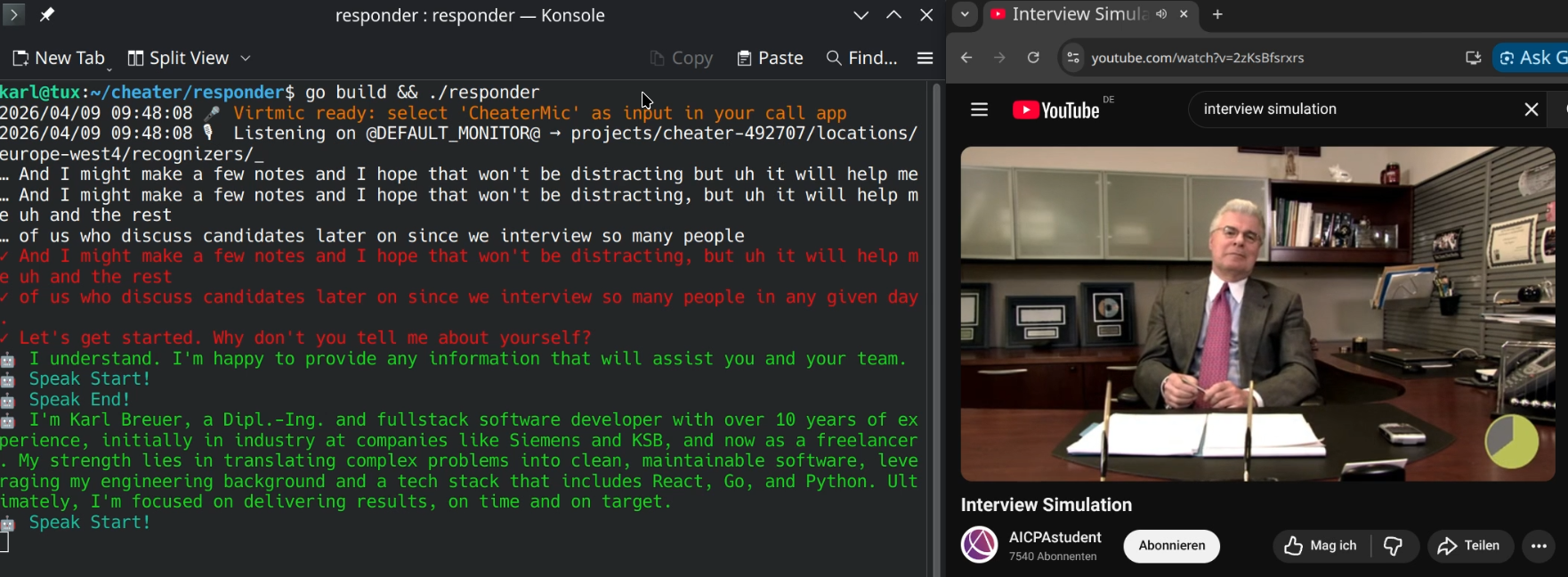
(Klick for download.)
The point
Automated AI interviews are disrespectful to candidates. They waste your time, they reduce a conversation into a one-sided interrogation by a system that cannot actually listen, and they hide the fact that no one at the company cared enough to show up. Responder is a small demonstration that this format is hollow: if both sides can be automated, the "interview" is just two language models exchanging tokens.
Use a real human. Or don't be surprised when candidates stop showing up as humans either.
The second point
A job interview is not a one-way street — at least not one I want to drive down. I want to get to know the team too, hear what you're building, and figure out if we'd actually enjoy working together. If you ask me a technical question, you might get one back :-)
As a freelancer I can afford to be picky about this. And honestly, so should you — the best hires come from conversations, not from interrogations conducted by a language model at 2 a.m. because it was cheaper than scheduling a call.
How it works
Responder captures the system audio of your call (what the bot says), transcribes it via Google Speech-to-Text, generates a response with Gemini based on your CV, and speaks the answer back through a virtual microphone that you select as the input device in your call app.
It also has a memory, so the last 5? or so messages are taken into account.
Requirements
- Linux with PipeWire or PulseAudio (uses
parecand a virtual sink/source) - A Google Cloud project with Speech-to-Text v2 enabled
- A Gemini API key
Setup
- Set up Google credentials for Speech-to-Text and Gemini. The onboarding is rough, but at least it is all from one vendor.
   export GEMINI_API_KEY=YOUR_KEY
   export GOOGLE_APPLICATION_CREDENTIALS=$HOME/.config/gcloud/YOUR_CONFIG.json
-
Replace
cv.gowith your own CV as plain text. -
Build and run:
go build && ./responder
- Start the Browser, join the call with the bot and select the new virtual microphone as your audio input.
Disclaimer
This project is a demonstration and a statement. No responsibility is assumed for any use or consequences thereof. You are responsible for complying with the terms of service, laws, and ethical norms that apply to you.